
Creating a Digital Trial Notebook: From Chaos to Confidence
Step-by-step guidance for building a digital trial binder that improves organization, speeds up prep, and supports a more efficient trial strategy.

In the thick of courtroom drama, one unexpected turn can leave an attorney feeling lost at sea. It’s then that a well-built trial notebook becomes an anchor, tethering legal teams to the facts, testimony, and case strategy so they can navigate whatever comes.
Traditionally, that anchor took the form of thick binders packed with outlines, exhibits, and dog-eared notes. But courtrooms have changed.
Evidence now lives in video clips, digital files, and hours of recorded statements. Judges move quickly. Witnesses surprise you. And paper can only take you so far. Now, more attorneys are switching to digital trial notebooks to combine stability with speed, searchability, and flexibility.
If you’ve been trained on paper systems, the idea of digitizing your trial binder may give you pause. But in reality, you’re simply translating a familiar structure into a more adaptable, manageable format.
In this guide, we’ll cover the essential steps for building a digital trial notebook and how tech can streamline your trial preparation, sharpen your presentation, and help you stay afloat when the tide turns.
What Is a Digital Trial Notebook?
A digital trial notebook is an electronic version of a traditional trial binder that organizes your most important case materials into a single, easily searchable workspace. Instead of flipping through paper tabs, attorneys can jump between sections, quickly search documents, and pull up supporting materials on the fly.
While the concept is similar to a paper notebook, a digital version offers much more versatility in the midst of a fast-paced trial.
“We use digital trial notebooks at my law firm, and it is crucial,” says Lauryn Tully, attorney at the Law Office of Lauryn Tull. It helps you search through materials quickly and tab around to find what you need. It makes getting through the materials more easily accessible and in a clear, visible format. I love using digital notebooks.”
1. Define the Scope and Framework of Your Digital Trial Notebook
Just like a paper binder, a digital trial notebook should match the flow of your case. Before you gather files, outline major sections like:
- Case overview
- Key pleadings
- Witness folders
- Presentation schedule
- Exhibit index
- Motions and rulings
- Openings and closings
The exact contents can vary based on your preferences and the needs of the case. Tull explains, “My trial notebook includes: the charging document, motions in limine, exhibit list, witness lists, opening statement, DA witnesses … motion for judgment of acquittal, defense witnesses, jury instructions, closing argument.”
The goal isn’t to capture every document from your case file. You just need to distill the information you’ll rely on most during the trial. Defining this structure early also helps create your case theory and chart how the story will play out in court.
2. Choose a Secure, Flexible Digital Platform
Many attorneys organize their digital notebooks in tools like OneNote, Evernote, or a cloud drive paired with their firm’s document management system. These tools can work as a starting point for basic organization and note-taking, but you’ll often find yourself lost in a disorganized mess as the evidence and transcripts pile up. An all-in-one platform helps you bring all those materials together under one roof for easier access.
Whatever you choose, be sure it supports quick navigation, reliable search, and cross-device integration. You should be able to jump from your laptop to a tablet to your phone with ease.
You’ll also want to prioritize security features like encryption and access controls. If you plan to upload audio or video for transcription, use tools that process and store your files in a controlled environment.
3. Import, Organize, and Make Case Materials Searchable
With your framework set, you can start loading in the documents, media, and notes that will power your trial prep. This is where your digital notebook really starts to take shape.
Create a consistent digital folder structure for your trial notebook — something like Pleadings, Motions, Witnesses, Exhibits, and Transcripts — so you always know where new materials belong. Clear file names will make a big difference come trial time. It’s also a good idea to run optical character recognition (OCR) on scanned PDFs to make everything searchable later.
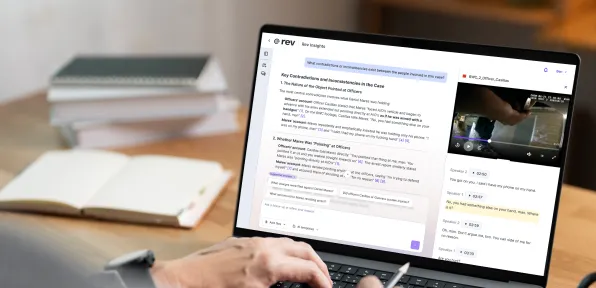
This is also the stage to convert audio or video evidence into searchable text. Uploading interviews, body-cam footage, or recorded depositions to a platform like Rev gives you transcripts you can quickly annotate, tag, and link back to witness files or other parts of your notebook. When all your materials are searchable, your digital trial binder will be much easier to navigate.
4. Build Your Case Roadmap and Link Supporting Evidence
A digital trial notebook is much more than an organized collection of files or a basic trial outline. At its best, your digital binder shows you how you plan to prove your case and have an effective trial or civil litigation.
Think of it as a case roadmap that helps you connect each claim or defense to the witnesses, exhibits, and testimony that support it. Going digital allows you to add links to the items that address each point, turning your notebook into a navigational hub rather than a static outline.
AI-supported tools can streamline this process even further. Use transcript summaries to pull statements or identify where testimony fits specific elements of the case. And with your roadmap fully linked, you can quickly jump from a legal element to a key quote or exhibit.
5. Create Digital Witness Files and Examination Outlines
Each witness deserves a dedicated section in your notebook. Start with a simple template that includes their role in the case, key documents tied to their testimony, and an outline for direct or cross-examination. Adding prior statements and related exhibits will allow you to move freely between your outline and the supporting evidence.
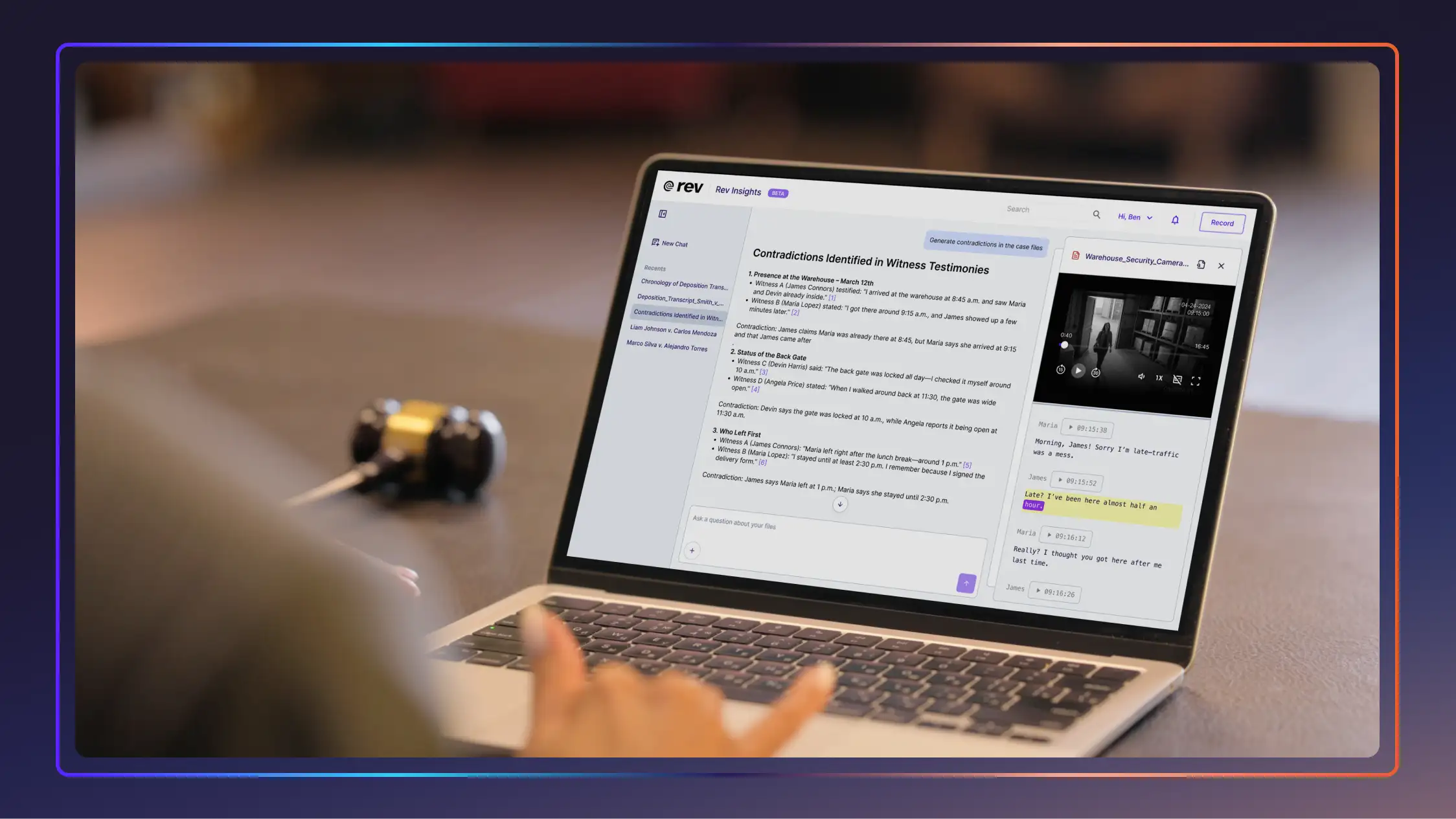
Once again, additional digital tools can make this even more efficient. Searchable transcripts let you jump directly to key moments in a witness’s story, and features like multi-file AI analysis can help you quickly pinpoint inconsistencies.
6. Prepare Exhibits and Video for Presentation
Having key exhibit materials together in one place is a great first step, but that doesn’t mean they’re ready for fast access in the courtroom.
Create clear exhibit numbers, short descriptions, and direct links to each file so you can pull them up when you need them. Make sure this index is synced across your trial notebook, presentation software, and any shared folders your team uses. Many attorneys also add brief notes about foundation requirements or relevant code of evidence provisions, which can be helpful when objections come up unexpectedly.
Video also deserves extra attention. Breaking long recordings into smaller, labeled clips saves time and helps you avoid scrambling to find the right snippet during testimony. Rev can generate searchable transcripts that help you find the exact segment you need.
7. Prepare Voir Dire, Opening, and Closing Sections With Linked Materials
Whether you’re building a criminal trial notebook or a civil trial notebook, your argument sections should be as well-organized as your evidence. Create pages for voir dire themes, your opening roadmap, and a closing structure, and connect each one to the legal elements you’re responsible for proving.
For example, if an element requires showing intent, you might link that section to the witness testimony, exhibits, or statements that demonstrate that. The idea is to keep your arguments grounded in the record and help you pull up proof right when you need it.
It’s best to keep these sections flexible, which is much easier to do with a digital trial notebook. As testimony develops or rulings shift, update your talking points and polish the narrative you plan to present to the jury.
8. Set Up and Maintain Your Real-Time In-Court Workflow
Once the trial begins, your digital notebook becomes a working playbook. Set up your workspace so you can access the most important sections from any device. Many attorneys open their notebooks on a laptop while using a tablet or second screen to present exhibits. Others rely on their phone for quick checks or to pull up a transcript excerpt during a sidebar.
As the case unfolds, you can rely on your digital notebook to react in real time. For instance, you can quickly check a witness’s prior statement, pull up a transcript excerpt, or locate an impeachment clip when an answer doesn’t line up.
Tools like Rev let you search transcripts by keyword or timestamp, so you can find exactly where something was said. Updating notes, tracking rulings, and adjusting strategy as the trial moves forward ensures you’re always organized — and one step ahead.
Benefits of Going Digital
Many legal professionals are so accustomed to building trial notebooks with paper, tabs, and physical binders that they can’t imagine something different. But once you settle into a digital system, you’ll find the advantages quickly outweigh the adjustment:
- Instant searchability: Locate a phrase, timestamp, or exhibit in seconds without flipping through pages.
- Built-in multimedia support: Manage video, audio, photos, and transcripts in the same place you draft outlines and arguments.
- Real-time updates: Add digital evidence, rulings, notes, or new exhibits immediately — no reprinting or reshuffling sections.
- Streamlined collaboration: Paralegals and co-counsel can work in the same notebook, add materials, and leave notes without confusion.
- Better organization at scale: Digital structures handle large volumes of evidence and complex case files more efficiently.
- Access from any device: Pull up your notebook on a laptop, tablet, or phone, no matter where you are.
- Fewer risks of lost or damaged materials: Backups and cloud storage protect your work from binder mishaps or missing pages.
- Reduced errors in court: With all your evidence clearly linked to its sources, you’re less likely to lose your place or misstate a fact in the heat of the moment.
To capture all these benefits, look for tools that combine strong search, secure handling of transcripts and video, easy linking between materials, and reliable access across devices. The right platform should simplify your workflow and make it easier to stay ahead during trial. Learn more about this type of tech with our piece on legal technology trends.
See Digital Trial Notebooks In Action
Building your trial notebook is most effective when you pair your digital binder with tools that efficiently handle transcripts and videos.
Criminal defense attorney Craig Greening of Greening Law Group is just one example. During one trial, he used Rev to quickly transcribe hours of police body-cam footage, search for key phrases, and create clips he could reference during cross-examination. The entire workflow lived inside his digital setup.
“I basically just use Rev as my trial notebook,” Greening says. “My associate was like, ‘You don’t have paper, you don’t have your cross-examination notes.’ I said, ‘No, it’s all in Rev.’”
Greening is just one digital trial notebook example. Searchable transcripts have helped countless Rev law firm clients compare statements across depositions, organize impeachment clips, and pull up exhibits without disrupting their pace in court.
Digitize Your Trial Notebook With Rev
A digital trial notebook is only as effective as the tools supporting it. With Rev, you and your team can prepare more efficiently, respond faster in court, and stay grounded in the record, no matter what turns the case takes. With searchable transcripts, reliable video handling, and evidence that’s easy to access and reference in real time, Rev lets you handle surprises without losing momentum.
In the end, you’ll have more confidence and control in the courtroom. Whether you’re building your first digital notebook or refining an existing workflow, Rev gives you the clarity and speed to advocate more effectively from prep through verdict.