
The Investigative Platform, All In One Subscription
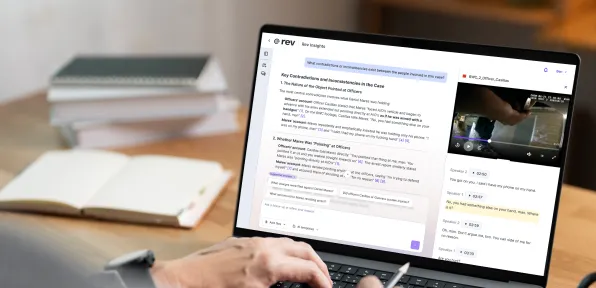
Analyze every file, draft with citations, and keep your evidence secure — built for cases that can't afford to guess.
Every Feature Built For Investigative Work
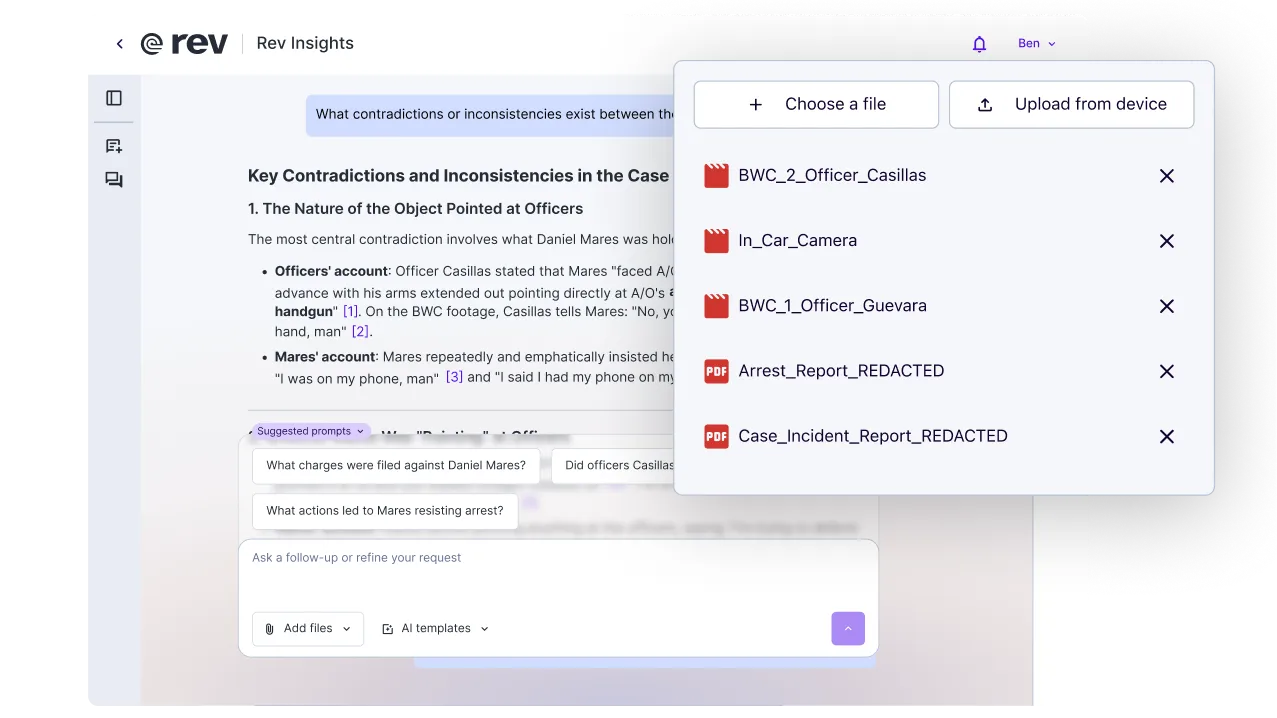
Multi-File Analysis
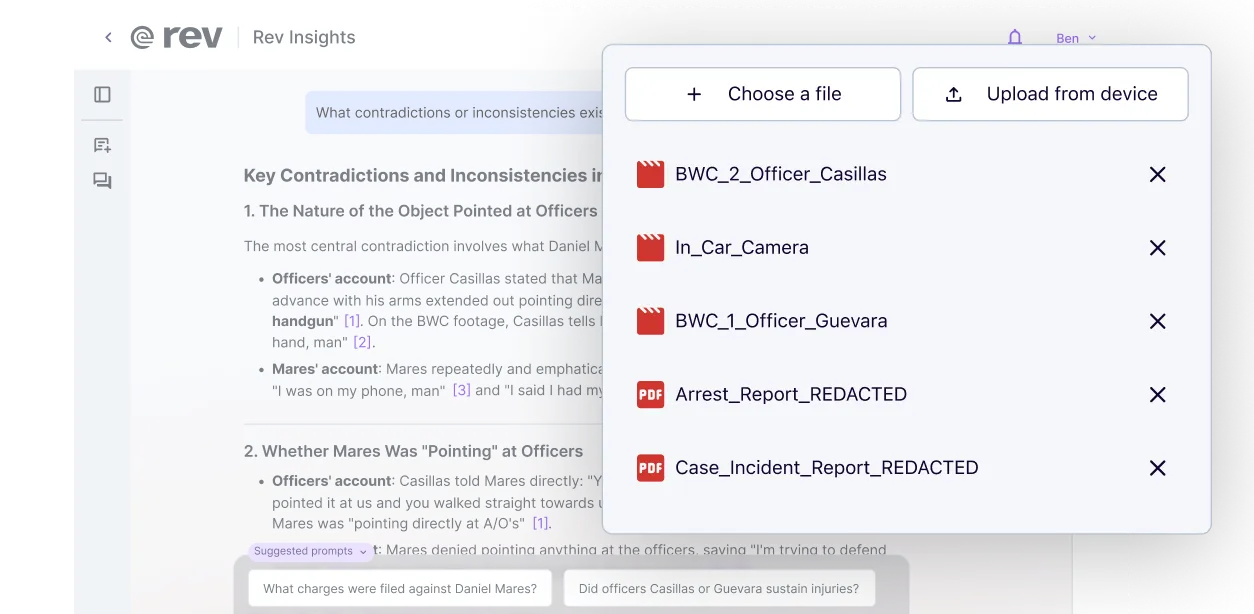
Search across body cam, in-car footage, arrest reports, and incident reports in one pass. Rev surfaces contradictions and inconsistencies between officer and witness accounts — with a citation to the exact file behind every finding
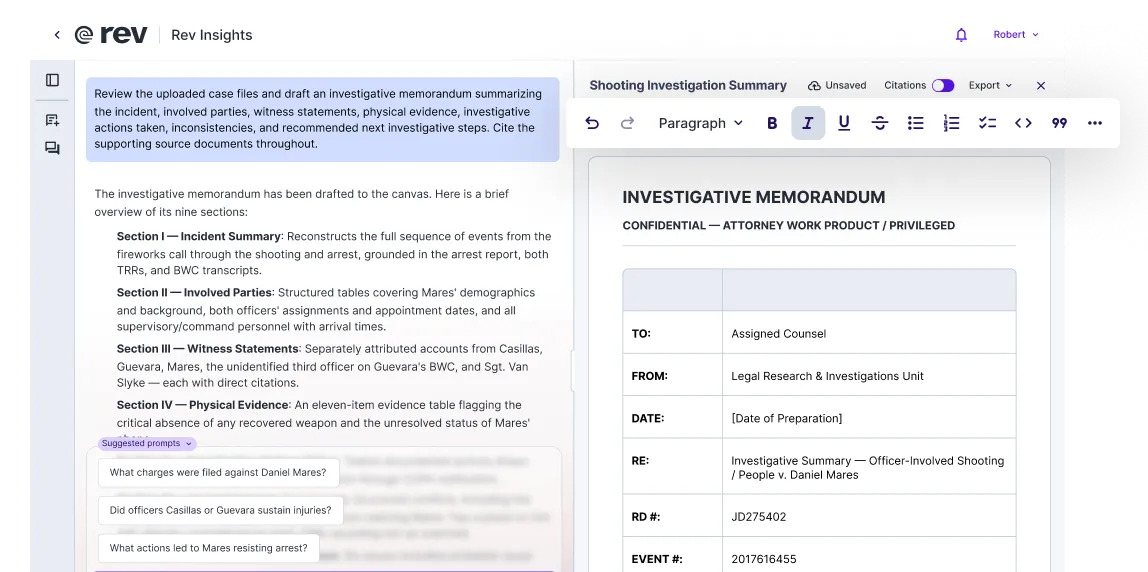
Document Editor Beta
Turn a finding into a structured investigative memorandum, motion, or memo. Sections, tables, and headers built in, citations carried through automatically. Edit your document right in Rev, then export to PDF or DOCX whenever it's ready to share.
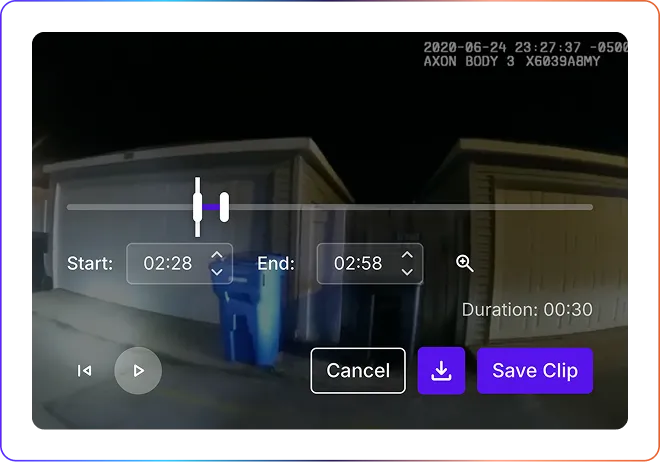
Transcript Editor & Clipping
Mark up body cam and interview transcripts as you review them, then clip the exact moment — down to the second — for your exhibit list. No separate video editor, no re-uploading footage.
AI Templates
Start from a AI template built for your case work — a case chronology, an evidence overview, a key-file summary — and Rev will structure the response based on your uploaded evidence.
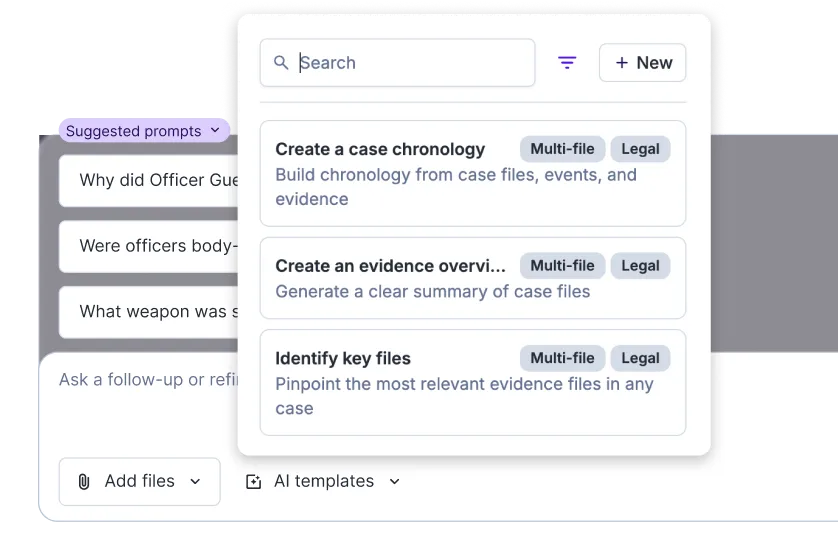
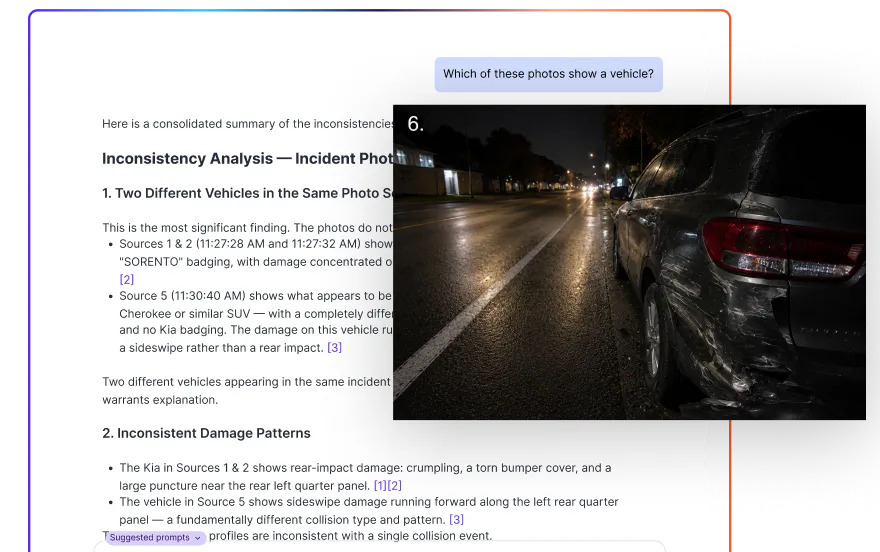
Image Analysis New
Upload crime scene photos, surveillance stills, and booking images. Use our AI image analyzer to ask what's in the photo, and get the answer cited to the exact file. No separate tool or export step required.
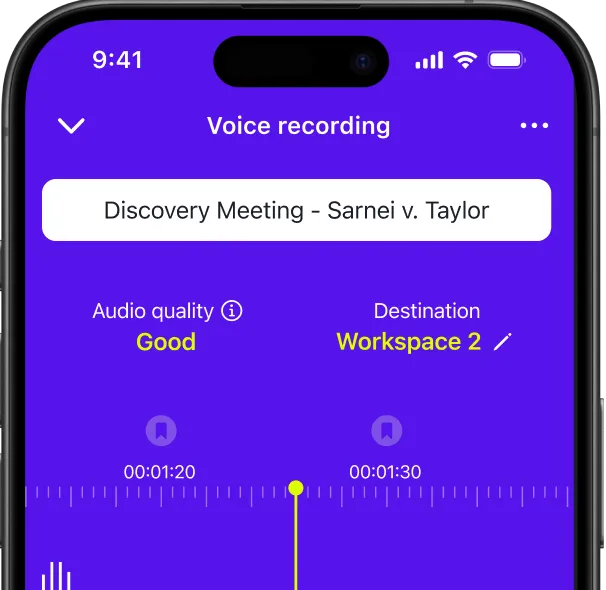
Mobile App
Securely record witness interviews and intake calls from anywhere, then review, analyze, and share the transcript right on your phone. With our voice recording app, you can even watch or listen to your evidence on the fly, if needed.
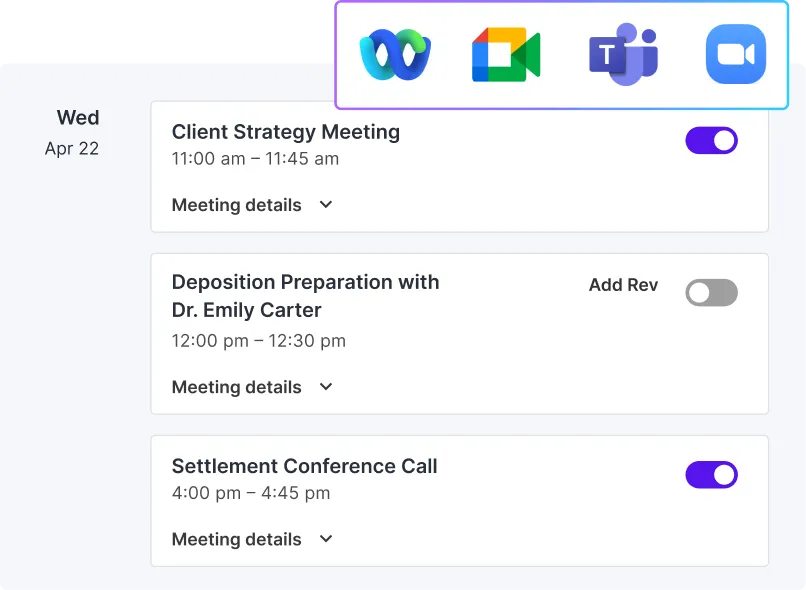
AI Notetaker
Choose which client calls or case meetings Rev should securely join. Rev takes notes and turns the entire conversation into a searchable, citable transcript. Available with Google Meets, Zoom, Teams, or WebEx.
Keep Every File Organized, However You Work
Sync with Google Drive, move files in bulk, and find what you need at a glance — no separate system required.
Drive & shared drive sync
Bulk ZIP upload
Bulk file download
Color tagging
Security That Holds Up Under Cross-Examination

Your Data Stays Put
We don't send it anywhere else to train a model.

Built for hard audio
Body cams, jail calls, cross-talk, not clean demos.

Encrypted from upload
The second a file lands in Rev, not after.

Privilege-safe by design
SSO and domain claiming control who sees what.
Pick The Plan That Matches Your Caseload
From a single deposition to a full caseload, every plan includes cited analysis, drafting, and the security controls investigative work requires.
Essentials
Pro
Unlimited
Free
Need legal-formatted transcripts? Those are produced by legal-trained experts at higher accuracy and priced-by-the-page.
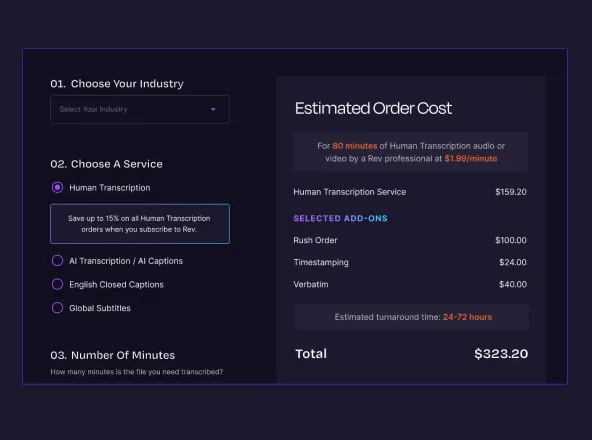
Human Transcription
Human Captions
Legal Rough Draft
Legal Premium Transcript
Compare Our Plans
Usage
Platform Features
Security & User Management
Support & Billing
Subscription FAQ
Are There Restrictions On When You Can Cancel Your Subscription?
No, you can cancel your subscription at any time without any penalty. Simply go to the “Manage Subscription” page to cancel your subscription. If you are on a shared account, only the Admin and Billing Manager can access this page. You can click on your name in the top right corner and select “Manage Subscription” from the dropdown menu to navigate to your Plan Management page. Here you can view the current details of your plan, change to a different plan, update your payment method, and cancel your paid subscription. Reach out to support for more information.
When There Is More Than One User (Seat) Within A Subscription Are The Minutes Shared Between Seats?
Yes. Entitlements within seat subscriptions are pooled at the account level. If an individual user goes over their allotted seat entitlements they simply start consuming from the account's pooled available entitlement.
What Other Rev Products (i.e., Human Transcription, Captions, Subtitles) Are Included In The Subscription?
All subscribers can access both AI transcripts and AI captions as part of their monthly AI minutes. As a paid subscriber, you also get a discount on Human Transcription – 3% for those on the monthly Essentials plan, 10% for those on the annual Essentials plan, 5% for those on the monthly Pro plan, 15% for those on the annual Pro plan, and custom discounts for those on the Unlimited plan.
Does Rev Offer Discounts On Human-Generated Services?
Yes, you can subscribe to Rev to receive discounts on Human Transcription. As a paid subscriber, you can get discounts depending on what plan you subscribe to:
- Essentials: 3% monthly / 10% annual
- Pro: 5% monthly / 15% annual
- Unlimited: Custom discounts
How does Rev Ensure the Security of My Account?
Rev offers multiple layers of account security. Within our enterprise plan, we support Single Sign-On (SSO) using SAML 2.0, which can be enforced across a domain or team. We also offer Multi-Factor Authentication (MFA) as an optional setting for all user accounts. Additionally, we provide domain claiming for enterprise plans, allowing organizations to manage access across their domain.
Rev takes data privacy very seriously. We do not sell customer data or allow for customer data to be used to train external LLMs, ensuring your content remains private.