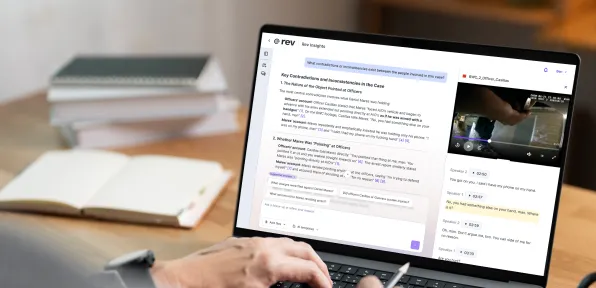

Transcribe And Clip Your Case Evidence, In One Place
Rev's transcript editor and AI clipping tools work together — transcribe, edit, and clip the exact moments you need, without leaving the platform.
Built For How Investigative Teams Review Evidence
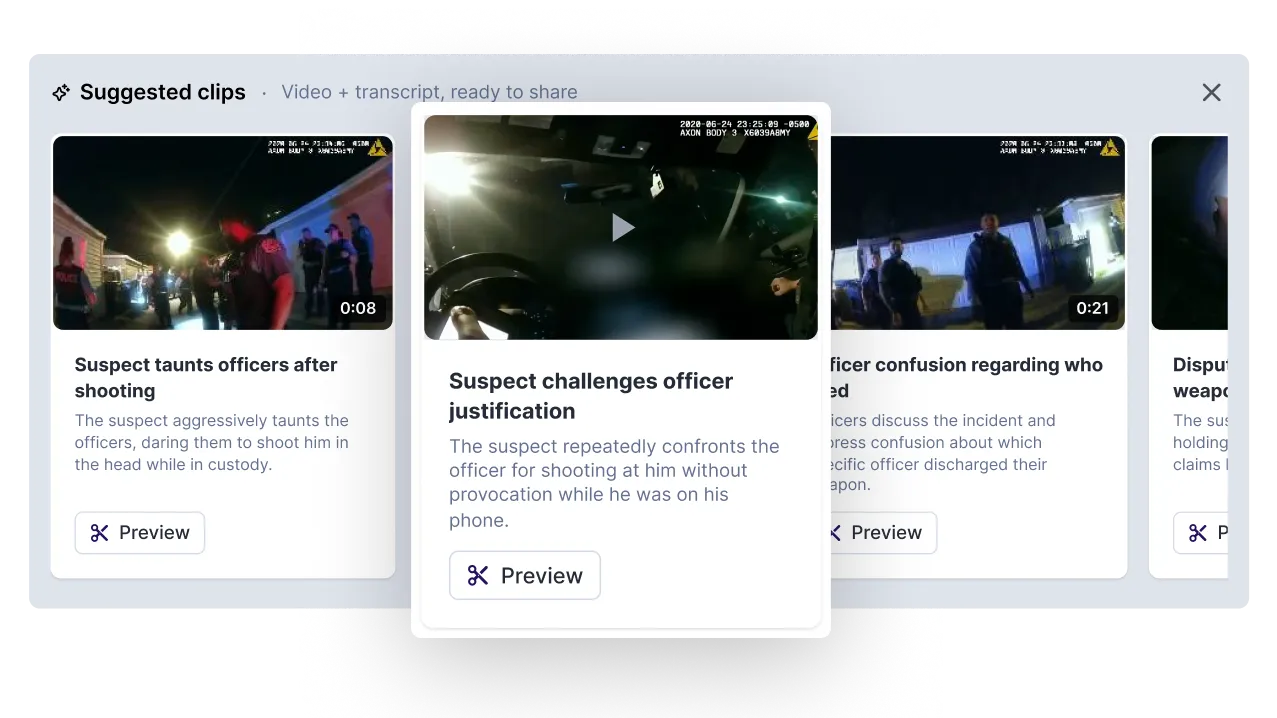
Suggested Clips New
When you open a video file in the transcript editor, Rev has already curated clips for you. Each comes with a title, thumbnail, and length so you know exactly what you're looking at before you click. Save the ones you need. Skip the rest. Plus, Suggested Clips are personalized to your role — so what surfaces for you is relevant to how you actually work, not just what's in the recording.
Human & AI Transcription
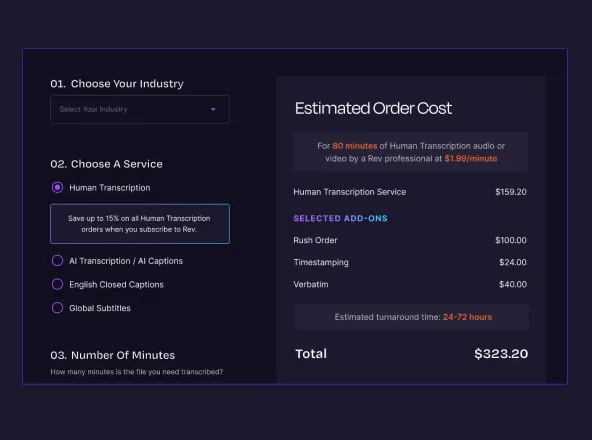
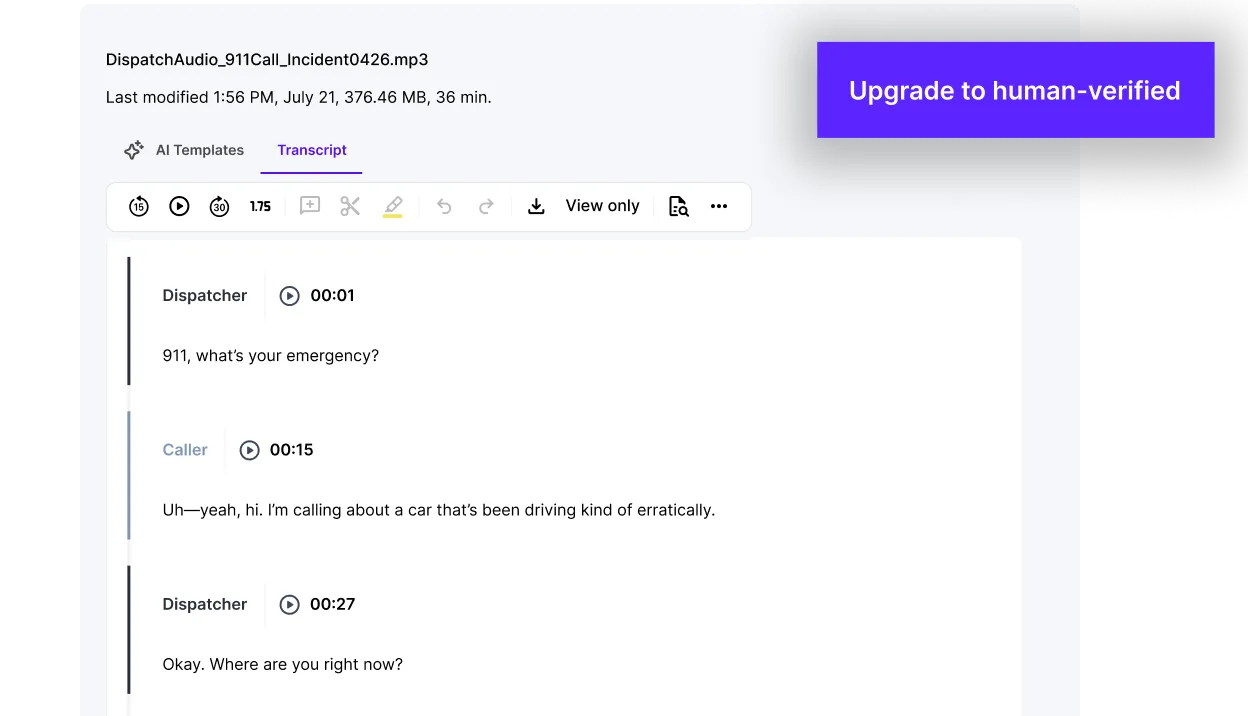
AI transcription converts audio and video to text in minutes, built for speed, security, and scale. Need certified accuracy for admissibility or testimony? Upgrade to human transcription — 99%+ accurate, delivered in as little as two hours.
Clip, Drag, Done.
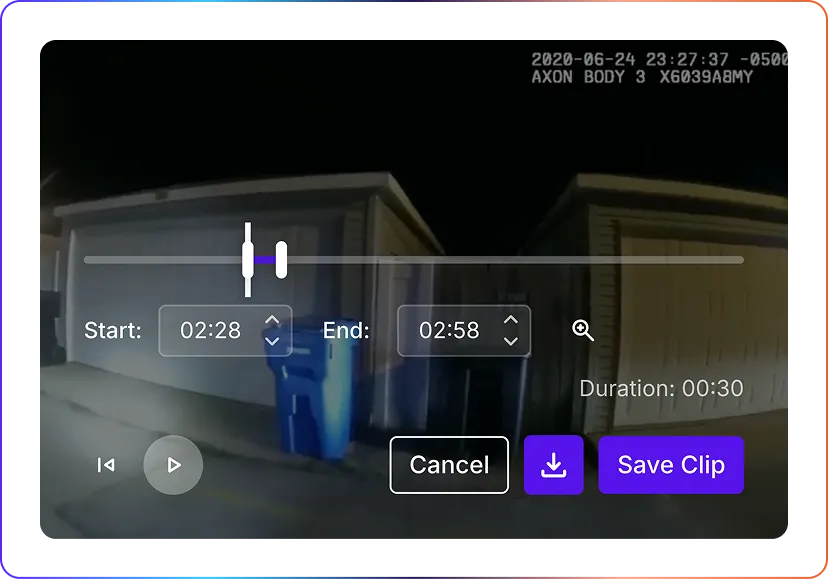
Create clips directly in the video player, with or without audio. Click on the timeline, drag to select, and your clip is ready. Save it to your files or download it instantly — no extra steps, no extra tools. Now works on video with no audio too, so nothing is off limits.
Easy Editing
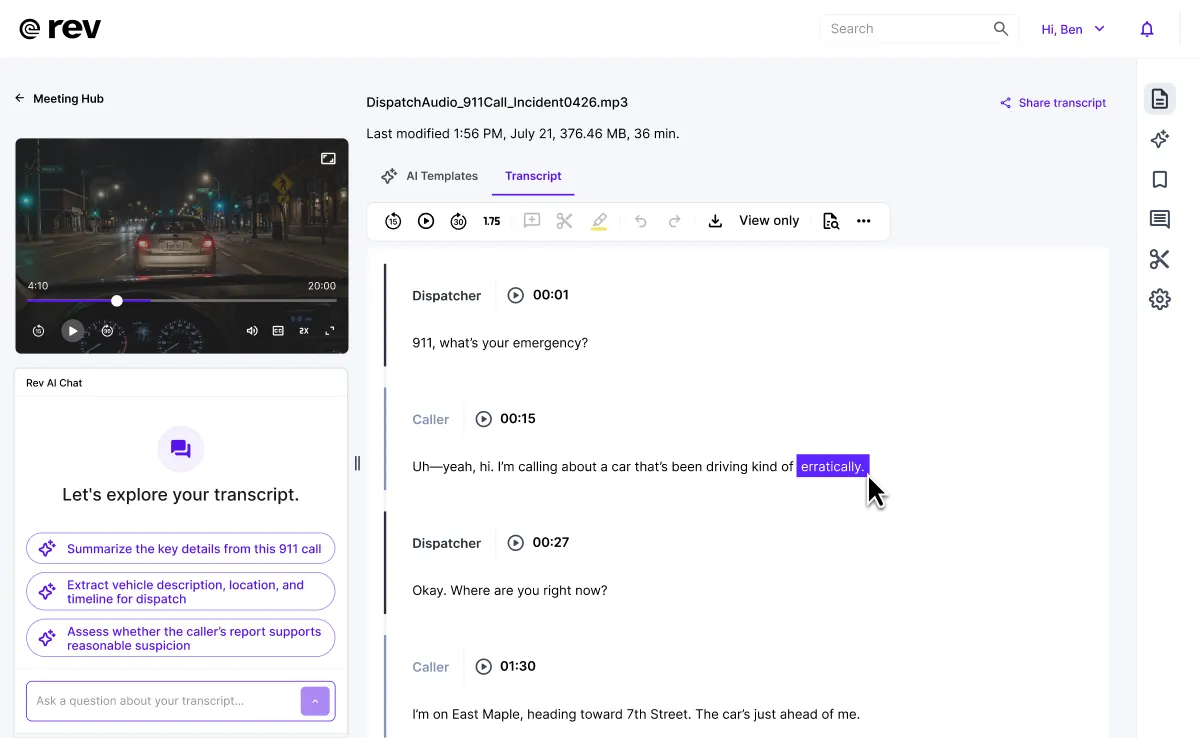
Follow the transcript in sync with the recording as you review, then clean it up fast with keyboard shortcuts and bookmarks for the moments you'll need again.
Built For The Team
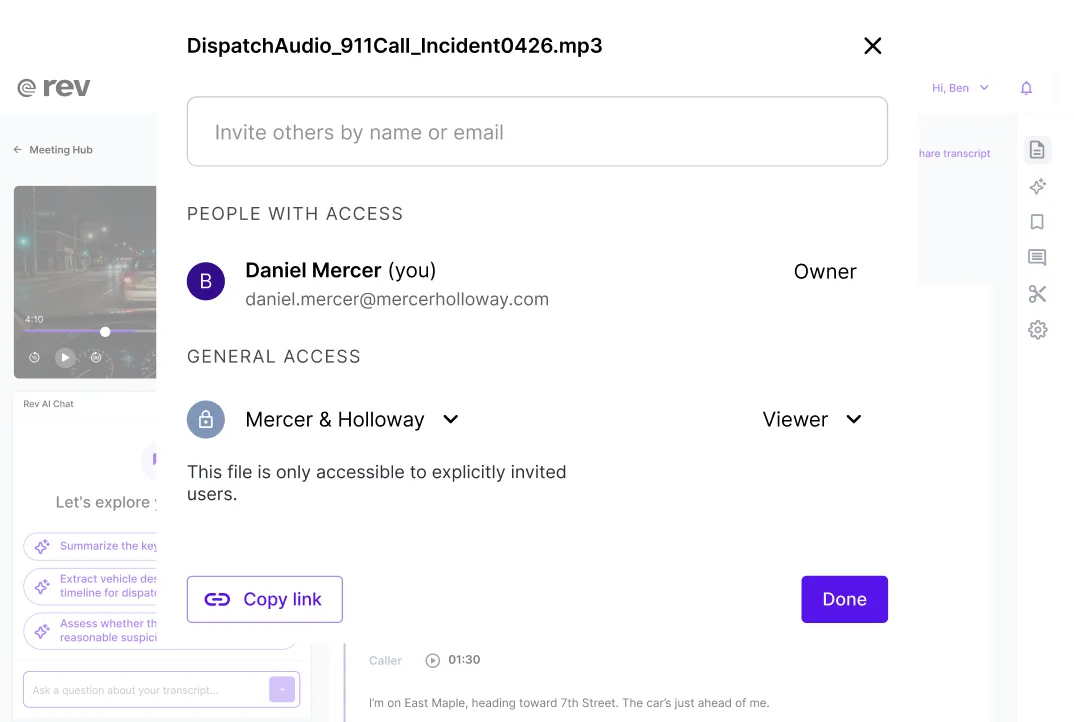
Share transcripts, comment directly on the record, and edit together — with full version history if anything needs to be rolled back.
“I was able to prepare within seconds during the middle of the trial. When he started lying on the witness stand, I already had the timestamps to the videos so I could go right to him.”
Transcribe And Clip Smarter With A Rev Subscription
Get more with a Rev subscription — accurate AI transcription, clipping, and powerful analysis in one platform
Essentials
Pro
Unlimited
Free
Need legal-formatted transcripts? Those are produced by legal-trained experts at higher accuracy and priced-by-the-page.